Emergency stop
Pause every agent in a workspace with one switch, or one agent while the rest keep working.
One switch pauses every agent in a workspace. It is in the side rail on every page, so it is never more than one click away.
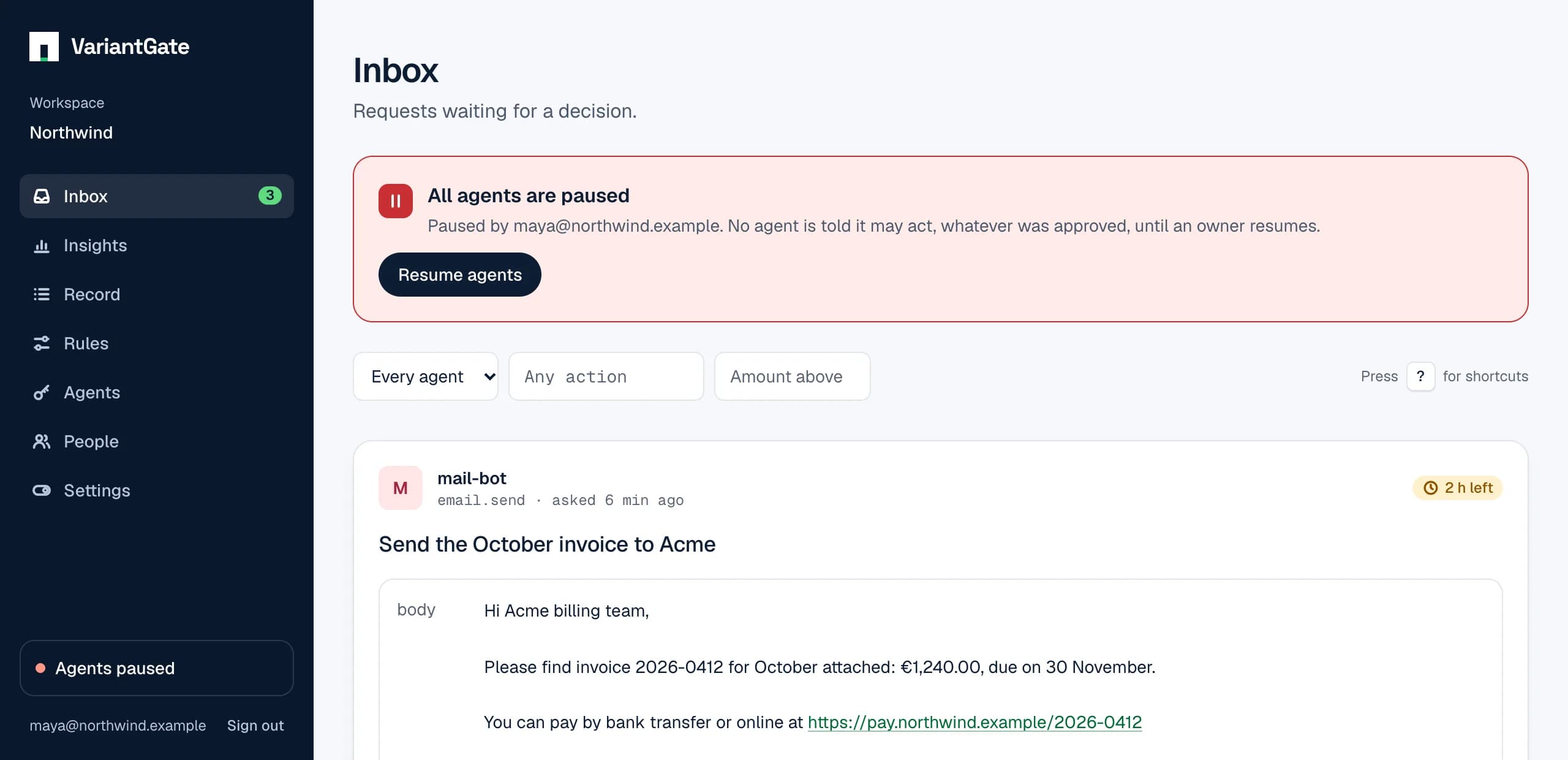
What a pause does
- Every agent is told
allowed: falseandpaused: true, whatever was approved. - No “always allow” rule approves anything during a pause; the request waits for a person instead. “Never allow” rules still deny.
- Requests keep arriving and can still be decided; nothing is lost.
An approved request, read during a pause:
{
  "id": "0190d1c5-…",
  "status": "approved",
  "allowed": false,
  "paused": true,
  "pause": "workspace",
  "decided_by": "ada@example.com",
  …
}
Who can do what
- Anyone in the workspace can pause. Stopping is always the safe direction.
- Only an owner can resume.
- An agent can do neither: an agent key gets 403 on these calls.
Pausing one agent
When one agent misbehaves, the others need not stop. Under Agents, each key has a Pause button. It works like the workspace switch, for that agent alone: nothing it asks for is allowed, no rule approves it, and its requests still arrive so you can see what it tried.
- Anyone in the workspace can pause an agent; only an owner can resume it.
- The agent is told
paused: trueandpause: "agent". While the whole workspace is paused too,pausesays"workspace". - Revoking a key ends it for good. Pausing is for “stop while we look”.
From a script
The switch is also an API call, for a monitoring alert or an on-call runbook. It needs a person’s sign-in token, not an agent key.
# Pause every agent (any member). Answers 204.
curl -X PUT https://api.variantgate.com/v1/workspaces/WORKSPACE_ID/pause \
  -H "authorization: Bearer $SIGNED_IN_TOKEN"

# Pause one agent key (any member). Answers 204.
curl -X PUT https://api.variantgate.com/v1/workspaces/WORKSPACE_ID/agent-keys/KEY_ID/pause \
  -H "authorization: Bearer $SIGNED_IN_TOKEN"

# Resume: the same paths with DELETE. Owners only; a member gets 403.
What each kind of agent does
- TypeScript guard
- Throws NotApprovedError, "approved, but every agent is paused". The action does not run.
- Python
- Raises NotApprovedError before the decorated function or with block runs.
- variantgate run
- Exits 1 and does not run its command.
- Hooks
- Deny the tool call, with the reason.
- MCP
- check_approval answers that the request is approved but paused, and tells the model not to act now and to check again later.
After resuming
Approvals made before or during the pause count again. A pause holds actions back; it does not undo decisions, and an approval does not expire. If something approved should no longer happen, keep that agent paused, or revoke its key, before anyone resumes.
A pause reaches only agents that ask before they act, and only at the moment they ask or check. An action already running is not interrupted, and an agent that never asks is not stopped by it. Put the check in the code that acts.
When an agent goes wrong
- Pause that agent, or the whole workspace if you are not sure which.
- Open the record and search by the agent: what did it ask for, and what was allowed?
- If its key may have leaked, revoke it and give the agent a new one.
- Tighten the rules that let it through: a lower limit, a smaller budget, or an ask instead of an allow.
- An owner resumes.
Why a stop switch matters and what makes a good one is in why every team running agents needs an emergency stop. Roles are on Teams.