Why every team running agents needs an emergency stop
When an agent goes wrong you need one switch, not a hunt through dashboards. What a good emergency stop does.
· 4 min read
Machines that can hurt someone have a red button within reach. Nobody expects to press it, and nobody would run the machine without it. Agents that send email and move money deserve the same, and most setups do not have one.
What they have instead is a hunt: find which agents are running, where each one is configured, whose laptop has the terminal open, and which key to revoke. That takes long enough for a confused agent to send a great many emails.
What a good stop does
- One action, every agent. Not one agent at a time, and not one vendor at a time.
- It overrides what was already approved. An approval given a minute ago, for an action not yet carried out, must stop counting.
- It overrides the rules. Nothing is approved automatically while the stop is on.
- Nothing is lost. Requests keep arriving and can be looked at. The agents wait; they do not crash.
- It says who pressed it. The next person to look should see at once that the pause is deliberate, and whose it is.
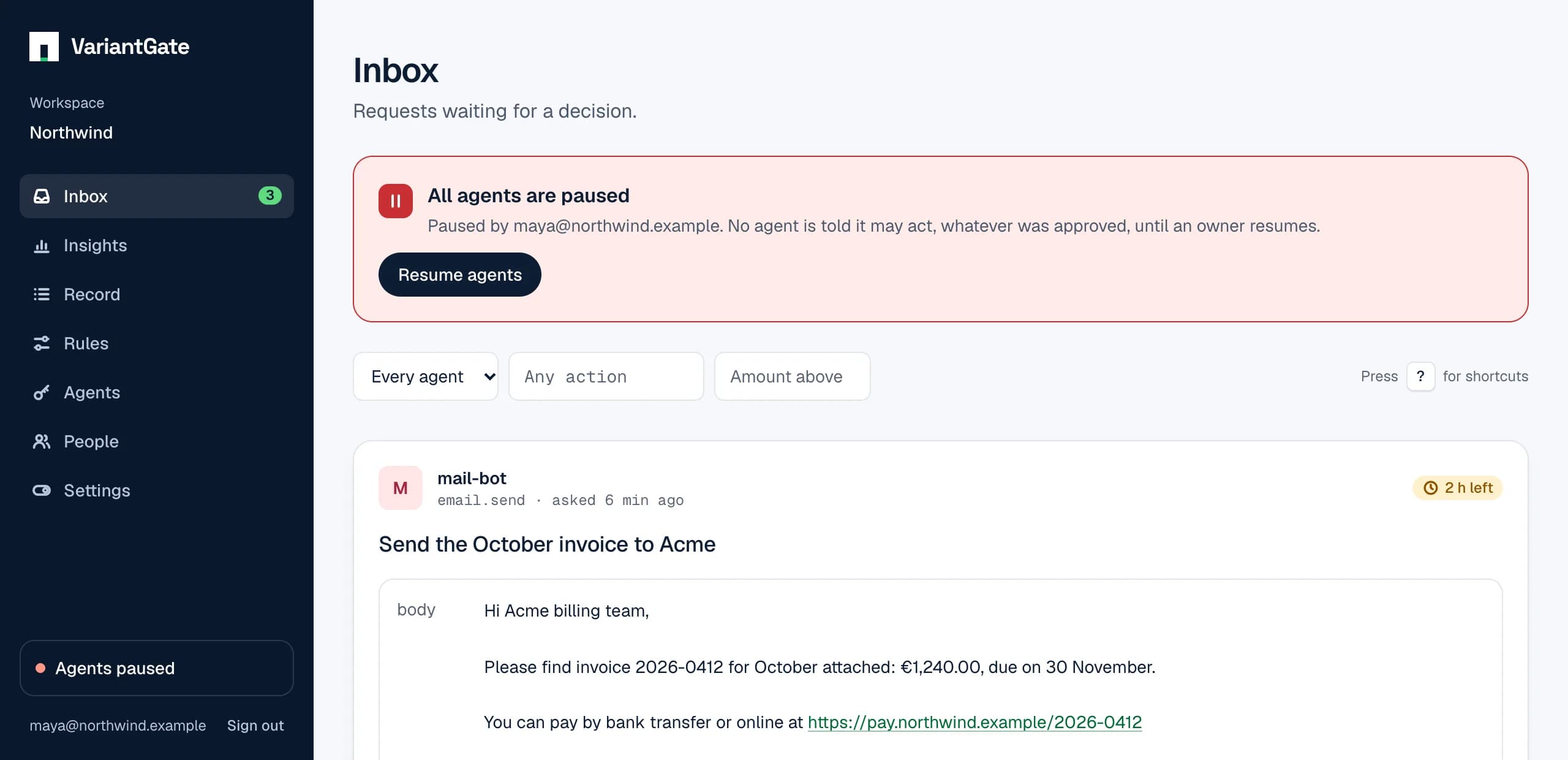
Stopping should be easy. Starting should not.
The two directions are not equal. Stopping by mistake costs a few minutes of waiting. Starting by mistake can cost a great deal more. So anyone on the team should be able to stop everything without asking, and only someone responsible for the workspace should be able to start it again.
An agent should be able to do neither. A stop that the stopped thing can lift is not a stop.
What it cannot do
A stop of this kind works through the answer an agent gets when it checks. That has two honest limits:
- An action already under way finishes. The stop prevents the next one.
- An agent that never asks is not reached. The check has to be in the code that acts, which is also what makes approvals worth anything.
For the tightest window, have the agent check immediately before it acts, not minutes earlier. The answer carries both allowed and paused, so it can also tell a person why it stopped.
After the stop
A pause holds actions back; it does not undo decisions. When the workspace resumes, approvals given before or during the pause count again. That is usually what you want after a false alarm. After a real incident, revoke the key of the agent that misbehaved before resuming, so its old approvals have nobody left to use them.
Try it before you need it
Press it once on a quiet day. See what your agents do when they are told to wait, and whether the people on your team know where the switch is. The docs describe exactly what a pause does here.