AI agent guardrails: the five controls that matter in production
Permissions, approvals, rules, a kill switch and an audit trail: the five guardrails an AI agent needs, and what each one cannot do alone.
· 7 min read
“Guardrails” usually means filters on what a model says: no toxic text, no leaked secrets, answers that stay on topic. Those matter for a chatbot. An agent is different, because it does things. The guardrails that matter for an agent in production are the ones on what it does, and there are five of them.
None of the five is enough alone. Each one covers a gap the others leave, which is why the list is worth going through in full.
1. Permissions: what the agent can reach at all
The cheapest guardrail is a credential that cannot do the damage. An agent that summarises invoices needs read access to invoices, not a key that can also issue refunds. Scope every token, give the agent its own account where the service allows, and prefer read-only.
What it cannot do alone: most useful agents need some write access, and a permission is all or nothing. A key that may send email may send any email.
2. Approvals: a person before the risky action
For the actions that remain, the agent asks first and acts only on an explicit yes. The check belongs in the code of the tool, or in a hook that runs before every tool call, not in the prompt, so the model cannot skip it. Pending, denied and expired all mean stop.
What it cannot do alone: people asked about everything stop reading. Approvals work only when the questions are few, which needs the next guardrail.
3. Rules: answers given in advance
Standing rules answer the routine questions so people see only the ones that need judgment. Always allow calendar changes; never allow deletions from the research agent; always ask about payments above €1,000, with two people. Limits and budgets keep a run of small yeses from adding up to a large one.
- Always allow
- Routine, reversible, low-cost actions.
- Never allow
- What this agent should never do, whatever it says.
- Always ask
- What always needs judgment, even if another rule would allow it.
What it cannot do alone: a rule is decided before the situation it meets. When something unforeseen goes wrong, you need to stop everything now.
4. A kill switch: stop everything, now
When an agent loops, misreads its task or is fed instructions by a document it read, the first need is to stop it, before working out why. An emergency stop is one switch that makes every answer allowed: false, whatever was approved, for every agent or for one.
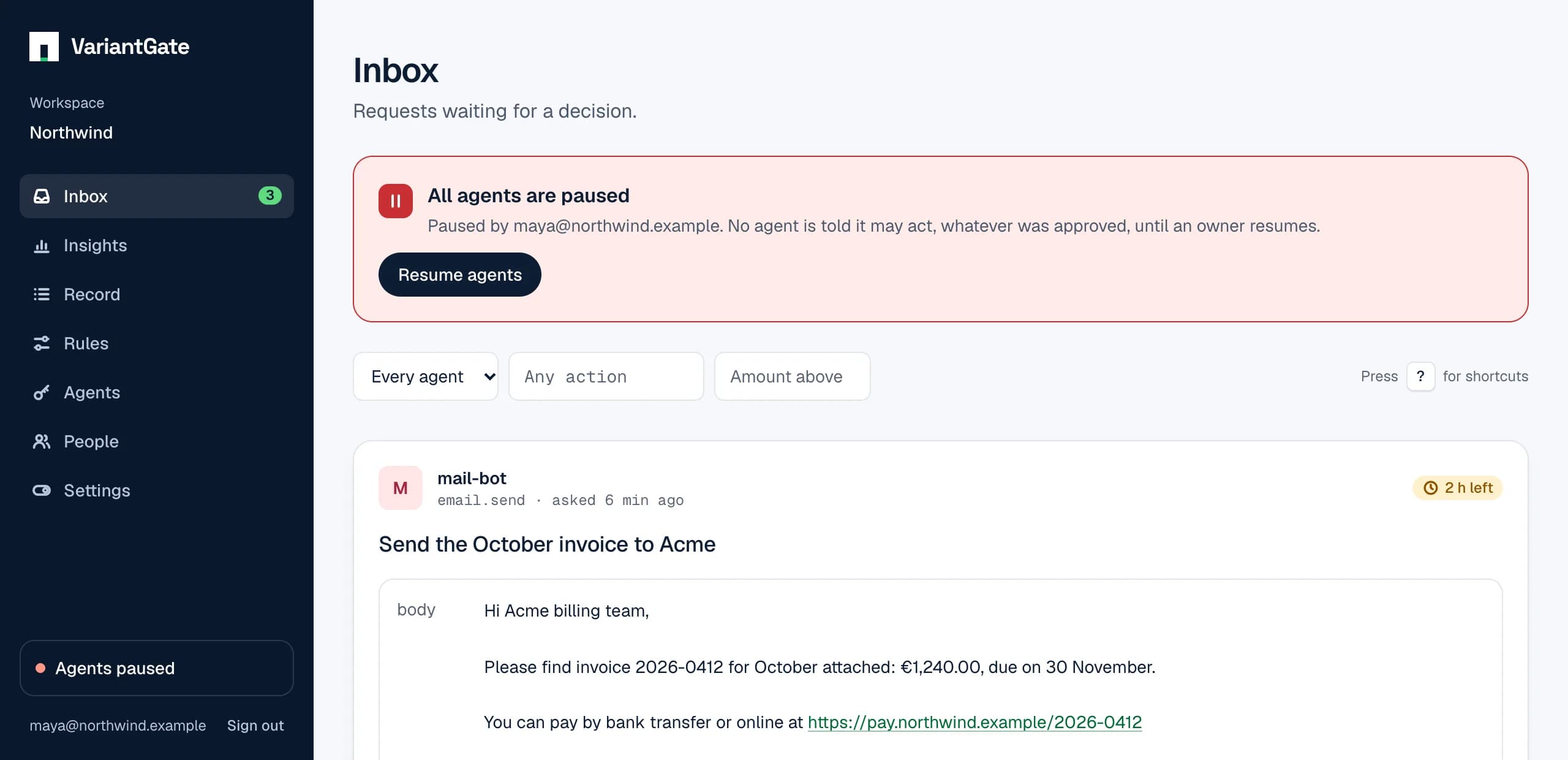
Anyone on the team should be able to pull it; only an owner should be able to undo it. Stopping is always the safe direction.
What it cannot do alone: a stop tells you something went wrong, not what. For that you need the record.
5. An audit trail: who allowed what
Every request, decision and outcome stays on a record: which agent asked, with which key, for what; who decided, or which rule; when, and why; and whether the action then succeeded. It is how you find the bad decision after an incident, and how you show a customer or an auditor that a person allowed what happened.
What it cannot do alone: it records; it does not prevent. That is what the first four are for.
A checklist
- Every agent has its own credentials, scoped to its job.
- Every irreversible action goes through an approval in code or a hook.
- Routine actions are answered by rules, with limits on money.
- Anyone on the team can stop every agent with one switch.
- Every decision is on a record you can search and export, kept apart from the agent vendor’s own logs.
The last point matters more as you add agents from different vendors. Each vendor’s approval screen and log covers its own product; a separate inbox and record cover all of them.