Spending limits for AI agents: caps, budgets and a person above them
An agent that can pay needs limits it cannot talk its way past: a cap per payment, a budget per day or month, and a person for everything above.
· 6 min read
“Never spend more than €50 without asking” in a system prompt is a wish. The model can misread a price, add up wrong, or be persuaded by a supplier’s page that the limit does not apply this time. A spending limit an agent cannot talk its way past has to be enforced outside the model, on the amount the agent states, before the money moves.
Three limits, not one
One number cannot do the job. A good setup has three, each catching what the others miss:
- A cap per payment
- Small payments go through at once; anything above waits for a person.
- A budget per period
- Many small payments cannot add up to a large one. Past the day's or month's total, a person decides.
- A person above a line
- Large payments always reach a person, whatever else is allowed. The largest can need two.
Writing them as rules
As rules, those three become a few lines that work together. For an agent that buys office supplies:
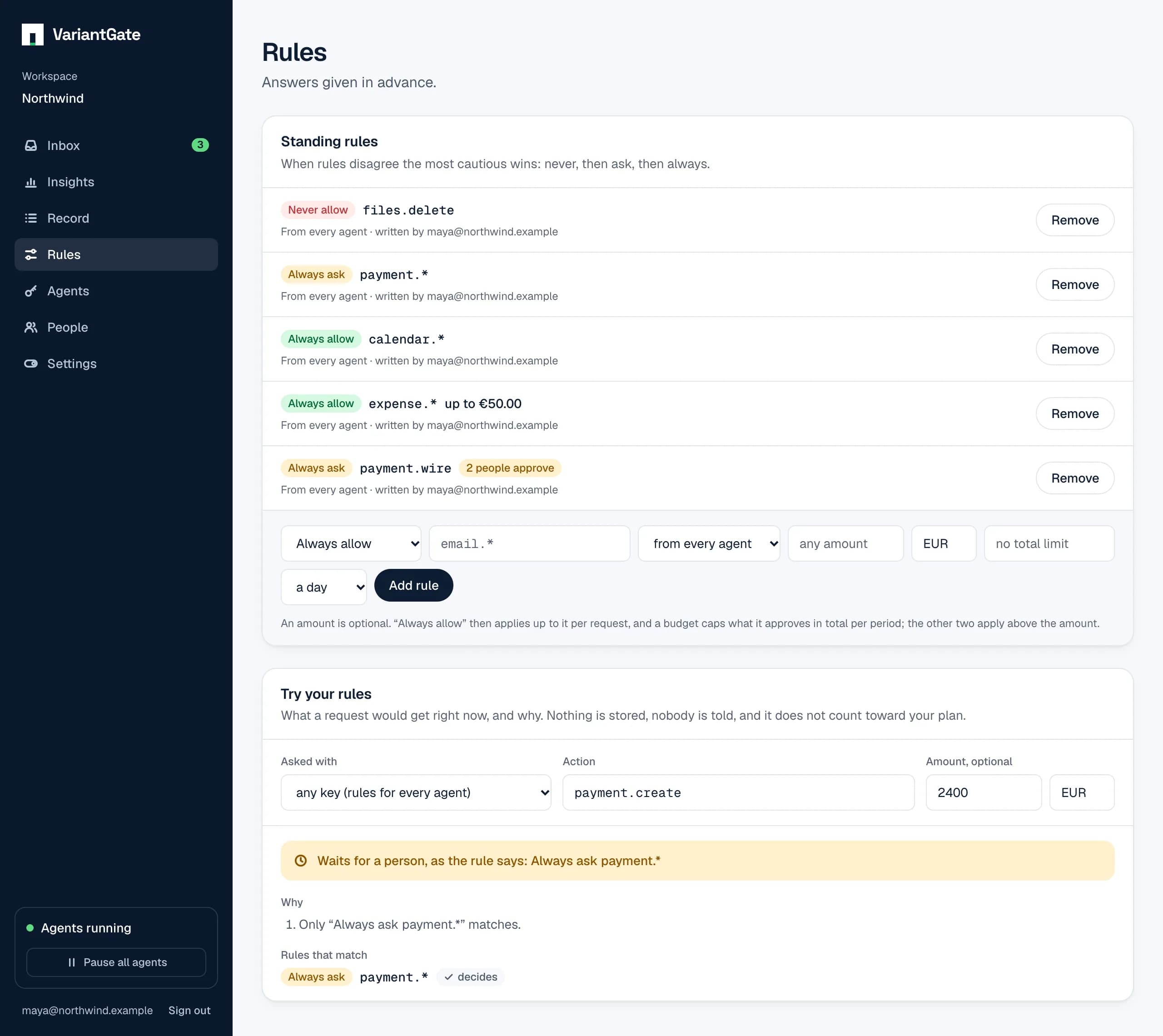
- Always allow payment.* up to €50, €300 a week
- Routine purchases go through until €300 has been approved this week.
- Always ask payment.* above €1,000, two people
- Large purchases wait for two different people, whatever an allow rule says.
- Never allow payment.* above €5,000
- Anything that large is refused at once.
Everything between €50 and €1,000, and everything past the weekly budget, waits for one person: no rule covers it, so it goes to the inbox.
The amount the agent states
Rules go by the amount and currency the request carries:
{
  "agent": "procurement-bot",
  "action": "payment.purchase",
  "summary": "Buy 3 USB-C docks from Officeshop for €237.00",
  "amount": "237.00",
  "currency": "EUR",
  "details": { "supplier": "Officeshop", "order": "PO-4471" }
}
A limit only ever works in the cautious direction. If the request states no amount, or an amount in another currency, an “always allow up to €50” does not apply, and an “always ask” or “never allow” with a limit does. Leaving the amount out never gets an agent past a limit; it only sends the request to a person.
The amount is what the agent says. Make the code that pays use the approved amount, so what was approved and what was charged cannot differ.
await approvals.guard(
  {
    action: "payment.purchase",
    summary: `Buy ${order.items} from ${order.supplier} for €${order.total}`,
    amount: order.total,
    currency: "EUR",
  },
  // Pay exactly the amount that was approved, not a fresh calculation.
  () => payments.charge({ amount: order.total, currency: "EUR" })
);
How budgets count
- Periods are a day, a week starting Monday, or a month, in UTC.
- Only what the rule approved counts. A payment a person approved does not use up the agent’s budget.
- Requests arriving at the same moment are counted one after the other, so a burst of parallel purchases cannot slip past the total together.
- Once the budget is used, no other “always allow” rule can approve those requests either. A person decides until the period starts again.
Per agent, not per name
A rule can cover every agent or one agent key. It always goes by the key, never by the name the agent gives itself, so the procurement bot cannot borrow the finance bot’s budget by calling itself that.
And keep the other locks
- Set a limit at the payment provider too, if it offers one. Two locks that work differently fail differently.
- Give the agent credentials that can only do what it needs: a card for purchases, not the account that pays salaries.
- If spending looks wrong, pause that one agent from the emergency stop. Nothing it asks for is allowed until an owner resumes it.
For payments too large for one person’s click, read two-person approval for AI agent actions.