Human-in-the-loop for AI agents: what to approve and what to let run
Which agent actions deserve a human decision, which can run on a rule, and how to tell them apart.
· 6 min read
An agent that can only read is a search box. An agent that can send, spend and delete is useful, and that is exactly what makes it risky. The usual answer is “keep a human in the loop”, but that is a slogan, not a design. Which actions does the person see? What happens when they are asleep? What stops them from clicking yes without reading?
This is a way to decide, action by action, that takes about an hour for a typical agent.
Three questions about an action
List everything your agent can do, then ask of each one:
- Is it permanent? A draft can be thrown away. A sent email cannot be unsent, and a deleted file may be gone.
- Does it reach other people? Anything a customer, a supplier or the public will see carries your name.
- Does it cost money? Payments, orders, and anything that starts a bill.
An action with three “no” answers can run. One “yes” is enough to make it worth a question.
Sort the actions into three piles
- Let run
- Reading, searching, drafting, and changes inside your own systems that are easy to reverse.
- Ask first
- Sending, paying, publishing, deleting, and changing who has access to what.
- Never
- The few things no agent should do whoever asks: removing backups, raising its own permissions, switching off its own logging.
Most actions land in the first pile. That is the point: the fewer questions a person gets, the more attention each one receives.
Ask about the action, not the plan
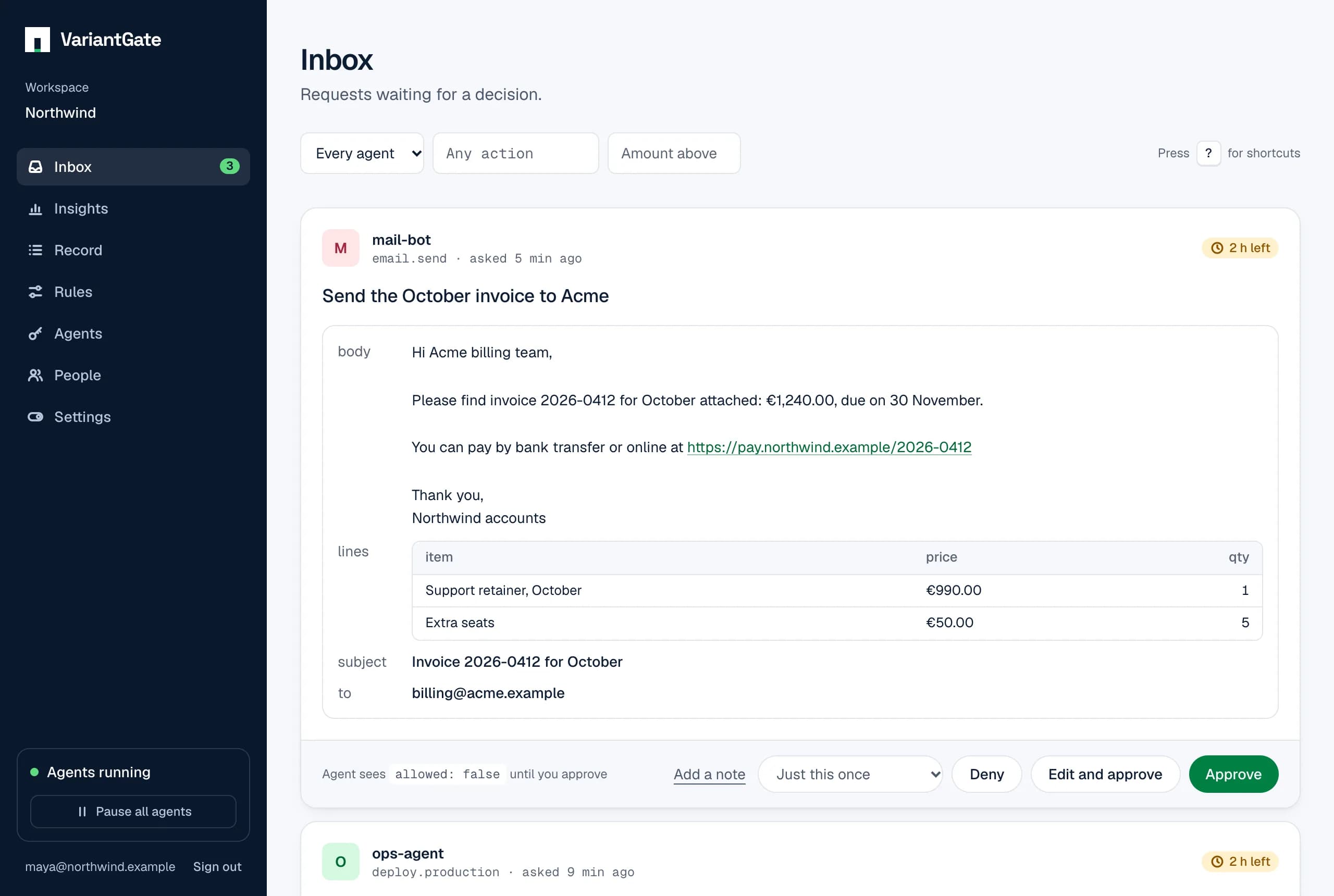
“May I handle this month’s invoices?” cannot be answered well. “Send the March invoice (€1,240.00) to billing@acme.example” can. A good request names the amount, the recipient or the number of things affected, in one sentence a person can read on a phone.
Put the check where the model cannot skip it
An instruction in a prompt is a request to the model, and models sometimes do not follow requests. The check belongs in the code that performs the action: the function that sends the email asks for approval and sends nothing until the answer is yes. Then it does not matter what the model was talked into.
Silence is not a yes
Every request needs a time limit, and running out of time has to mean no. The same goes for errors: if the agent cannot reach the approval system, it must not act. An approval step that fails open is decoration.
One rule covers all of it: the agent acts only on an explicit yes. In a request’s answer that is the field allowed, and nothing else counts.
Keep the questions rare
A person who approves the same harmless thing twenty times stops reading the twenty-first. When you notice a request you always approve, stop asking it: write a rule that allows it, and keep the person for the calls that need judgment. More on that here.
What you have at the end
A short list of actions that ask, a shorter list that never happen, and everything else running freely. The agent stays useful, and the decisions that carry your name are still yours.